
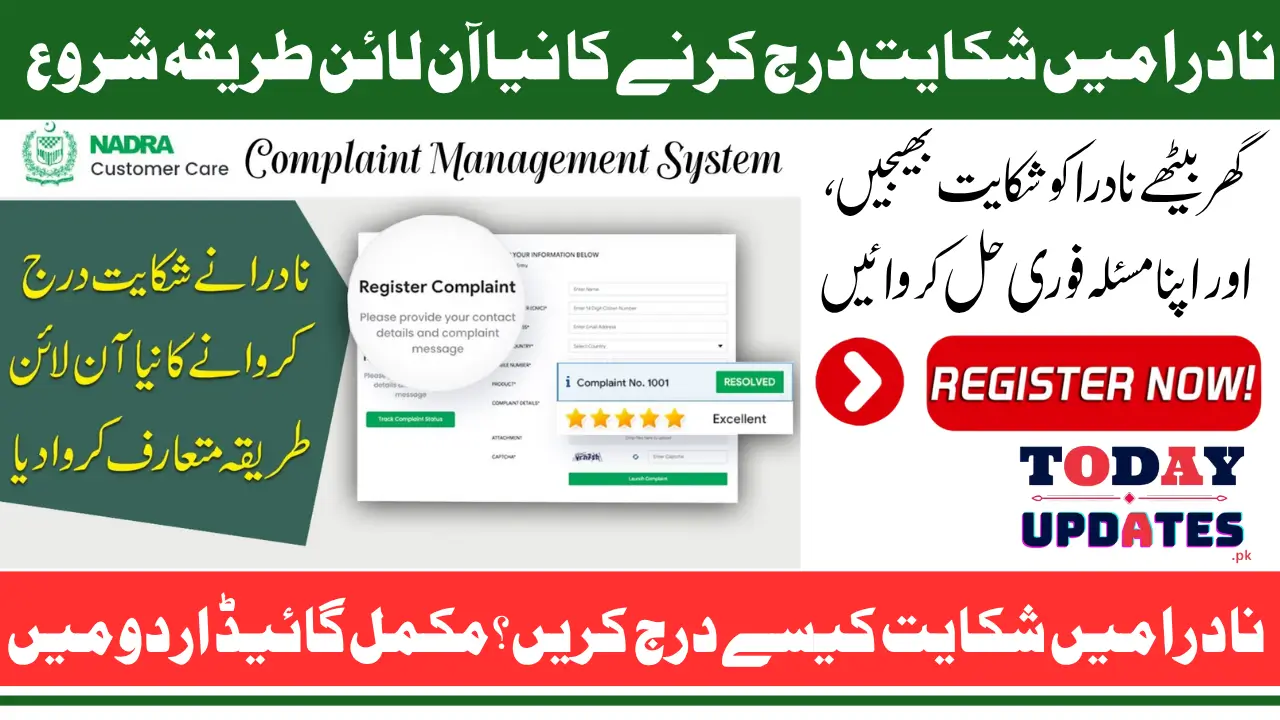
How To Register A Complaint In NADRA Online
How To Register A Complaint In NADRA Online: The National Database and Registration Authority NADRA has made it easier for citizens to report their problems through an efficient online complaint system. Whether your CNIC is delayed, data is entered incorrectly, or staff behavior was unprofessional, you can now lodge your complaint without visiting any NADRA office. This initiative ensures that every citizen can reach NADRA directly and receive a quick response.

Through this online system, complaints are received, verified, and forwarded automatically to the concerned NADRA office. The system operates on transparency, helping users track their issue from submission to resolution. It is accessible to both local and overseas Pakistanis, making it one of the most convenient public complaint channels in the country.
What Is NADRA’s Online Complaint System?
NADRA’s online complaint system is a digital platform designed to improve public service by offering an easy and structured way for people to submit their grievances. This platform is part of NADRA’s broader effort to make governance digital and citizen-centered.
When a citizen submits a complaint, the system records all details, generates a unique reference number, and routes it to the relevant department for review. This means there’s no need to stand in long queues or deal with manual paperwork — the process is transparent, quick, and traceable.
Step-by-Step Process to Register a Complaint
Filing a complaint in NADRA’s online system is simple if you follow the correct sequence. The portal ensures that all necessary information is collected before submission to prevent delays in processing. Here’s how you can file your complaint successfully.
- GO to the https://complaints.nadra.gov.pk
- Select your Country, Province, and District from the dropdown menu.
- Choose your Tehsil and the NADRA Office related to your issue.
- Enter your Full Name exactly as printed on your CNIC.
- Provide your Citizen Number CNIC without dashes.
- Enter a valid Email Address used for communication.
- Select your International Dialing Code of country and enter your Contact Number.
- Under Type, select whether you are submitting For Self or For Another Person.
- Mention your Relation with Complainant (Blood Relative, Neighbor, Friend, or Other).
- Tick the “I am Human” reCAPTCHA to confirm you are not a bot.
- Review your details and click on the register complaint button below.
After submitting, the system displays a Reference Number. Keep this safe because it allows you to track your complaint later. You will also receive an email confirmation once the complaint is received by NADRA’s system.
Understanding Each Field in the Complaint Form
Each part of the NADRA complaint form serves a purpose. Filling it correctly ensures your complaint is handled by the right office. Let’s look at what each section means and why it’s important. The Country, Province, District, and Tehsil fields help the system locate the exact NADRA office responsible for your complaint. The NADRA Office dropdown identifies where your issue occurred, such as in Lahore, Karachi, or Islamabad. The Full Name and CNIC Number verify your identity, ensuring that only genuine complaints are processed.
Meanwhile, Email and Contact Number allow NADRA to send status updates or reach you if they need clarification. The Complaint Type and Relation with Complainant help determine if you are filing for yourself or on behalf of someone else. Finally, the reCAPTCHA ensures that automated or spam complaints are filtered out for better system reliability.
Types of Complaints Accepted by NADRA
NADRA accepts complaints about almost every service it provides. This includes issues with CNIC processing, verification problems, and online application errors. Understanding which category your issue fits into helps NADRA handle it more efficiently.
- Delay in CNIC or Smart ID card delivery
- Errors in personal information (name, date of birth, address)
- Family Registration Certificate (FRC) issues
- Online form or biometric verification problems
- Payment or token-related problems
- Unprofessional staff behavior or negligence
- Issues in overseas ID services
Each submitted complaint goes through verification, assessment, and action steps before a resolution is provided.
Also Read: BISP 8171 Verification Check 2026 Step-by-Step Process to Confirm Your Payment Status
How to Track Your NADRA Complaint
Once your complaint is registered, tracking it is simple. The NADRA complaint portal allows you to monitor the progress of your case anytime. Tracking keeps you informed about whether your complaint has been received, processed, or resolved.
To track your complaint, visit the same NADRA complaint website. Enter your Reference Number and click on the “Track Complaint” option. The system will show your current status and any updates provided by NADRA officials. If you notice no progress for several days, you can call NADRA’s helpline for further follow-up.
NADRA Complaint Contact Details
In addition to the online form, NADRA offers multiple communication channels for citizens who prefer other methods. Below is a summary of official NADRA contact options:
| Contact Method | Details |
|---|---|
| Official Portal | https://complaints.nadra.gov.pk |
| Helpline | 051-111-786-100 |
| Mobile Users | Dial 1777 |
| csd@nadra.gov.pk | |
| Office Visit | Visit your nearest NADRA Registration Center (NRC) |
These options make it easier for users to reach NADRA for clarification, technical issues, or urgent complaints.
Also Read: BISP January 2026 Camp Payment Locations Check Nearest Distribution Center
Tips for Submitting an Effective Complaint
Submitting a clear and complete complaint helps NADRA handle it faster. Avoid incomplete information or emotional statements, as these can delay resolution. Use precise and factual language.
- Always use your correct CNIC and contact details
- Choose the correct NADRA office related to your issue
- Keep your reference number safely saved
- Write concise but complete details of your problem
- Avoid sending multiple complaints for the same issue
- Check your email regularly for updates
These steps will help you receive timely and accurate feedback from NADRA.
Final Words
The NADRA online complaint portal is a major leap toward improving citizen services in Pakistan. By digitizing the complaint process, NADRA has made it possible for everyone—whether in cities or remote areas—to raise concerns and receive official responses without visiting offices.
This system promotes transparency, efficiency, and trust between citizens and government institutions. It reflects NADRA’s ongoing effort to bring Pakistan closer to modern digital governance.
Also Read: BISP Kafalat Program January 2026 Disbursement Started Cluster Wise Check Payment Details
FAQs
How can I register a complaint with NADRA?
Go to https://complaints.nadra.gov.pk and fill out the online form with your details and issue.
Can I file a complaint for someone else?
Yes, choose “For Other Person” and mention your relation such as friend or relative.
Do I need an email to submit a complaint?
Yes, a valid email address is required to receive complaint updates and confirmation.
How do I know my complaint is received?
You’ll receive a reference number and confirmation email once NADRA receives your complaint.
What should I do if my complaint is not resolved?
Contact NADRA’s helpline (051-111-786-100) and provide your reference number for follow-up assistance.